
Comix Reader: Comics & Manga
Your collection. Your way to read.
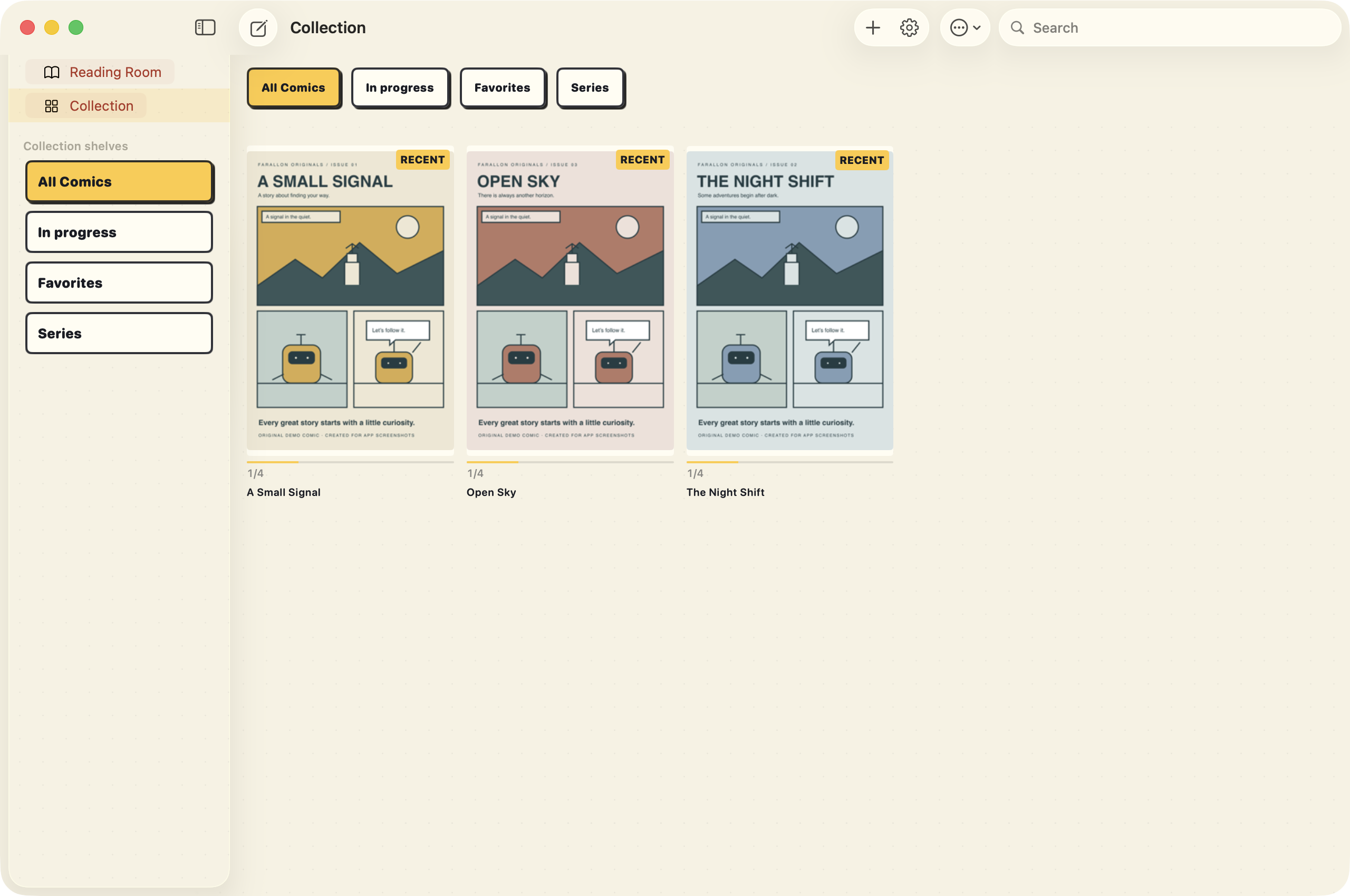
Development build · sample content
All features & compatibility
Read in your own rhythm
- Bring your library
- Open CBZ/ZIP, CBR/RAR4/RAR5, CB7/7z, and PDF comics.
- Flexible page layouts
- Choose single pages, two-page spreads, continuous scrolling, or heuristic guided-panel navigation.
- Zoom and page controls
- Pinch up to 4×, use double-tap zoom, choose tap zones, or navigate with buttons and keyboard arrows.
- Manga and reading direction
- Choose left-to-right or right-to-left reading, with manga-aware automatic defaults.
- Automatic spreads
- Adapt one or two pages to the current viewport while keeping your place. Set the gutter and optional Duo tools pane.
- Keep the art in focus
- Reader controls collapse after interaction or inactivity; expand them when you need them. Optional page-turn haptics work on supported iPhones.
Make room for every issue
- Collection and Reading Room
- Browse all your books or pick up an in-progress read, with a compact Continue Reading row and on-demand Reading Room.
- Rich metadata
- Read and edit ComicInfo titles, series, issues, writers, publishers, genres, and tags. Choose cover pages.
- Library appearance
- Switch between cover grids and lists, select cover styles, show recent items, and sort by title, date, last read, or issue number.
- Smart collections and queues
- Filter by title, series, publisher, tags, unread status, and favorites. Build ordered queues with a next-unfinished action.
- Bulk editing and reports
- Update shared metadata and tags, review reading history, and find missing issue numbers within series and volumes.
- Skip exact duplicates
- Hash-based imports skip the same archive even when its filename changes.
Import from where you keep it
- Files and desktop import
- Choose files from local storage, iCloud, or file providers. On Mac, use drag and drop or watch a folder while the app is active.
- Dropbox and Google Drive
- Browse connected accounts and import read-only copies after provider setup.
- AirDrop and other apps
- Receive supported files through system sharing or Open With, using the same duplicate-aware importer.
- Computer file sharing
- Transfer files into the iOS app’s Documents folder using Finder or Apple Devices, then import transferred books.
- Public OPDS catalogs
- Browse public HTTPS OPDS 1.x catalogs and download supported, DRM-free files.
- Import progress
- See preparation, copying, and indexing progress; cancel a batch without losing completed imports.
Give each page the right treatment
- Image adjustments
- Set brightness, contrast, saturation, inversion, and conservative white-margin trimming without modifying originals.
- Comic-print styles
- Choose fine halftone, Ben-Day dots, aged newsprint, ink boost, noir ink, monochrome, warm paper, scan cleanup, descreen, or night paper.
- Reading profiles
- Save defaults and series or book overrides, with separate portrait and landscape settings.
- Compare editions
- Inspect two books side by side, overlay them, or view their differences. Adjust offsets, scale, and opacity, then export a comparison preview.
- Visual matching
- Find possible matching editions with local perceptual-hash suggestions. Results never delete books automatically.
Read the lettering more closely
- On-device OCR
- Recognize page text locally, correct it, share it, or read it aloud with a system voice.
- Search indexed pages
- Index a selected book and search recognized text across your local library.
- Local translation
- Translate recognized text with supported Apple language packs on iOS 18 or macOS 15 and later. Translation appears separately from the artwork.
- Text preview controls
- Choose source and target languages, font, weight, text size, colors, and supported native hyphenation.
Keep your own perspective
- Notes and ink
- Add page notes or draw freehand with a finger, Pencil, or pointer. Export annotations as JSON or a page-and-ink PNG.
- Preserve annotations
- Notes remain available when a book is removed; importing the identical archive reconnects them.
- Manual folder sync
- Merge reading state and supported book settings through a shared folder between devices that hold the same original archive.
- Continue Reading widgets
- Open recent unfinished books from native iOS and Mac widgets.
- Storage tools
- Review storage by originals, cached pages, OCR, notes, and visual data. Clear regenerable caches from the dashboard.
Good to know
GOOD TO KNOW
Bring the books you own.
The app reads comics you import; it does not include a commercial comic catalog. Screenshots use original demo artwork created for this page.
Imported books are local offline copies. Cloud imports require an internet connection and configured provider accounts. Public OPDS support is for DRM-free OPDS 1.x catalogs; authenticated catalogs and OPDS 2 are not supported.
Guided panels, OCR, and visual matches are heuristic. Translation is shown in a separate text preview, requires supported language packs, and does not replace lettering inside the artwork. Manual folder sync requires matching originals and explicit merging; it is not automatic live cloud sync.
Download information coming soon.